Players’ manual
Rules and guidance for your colony, fleets and alliance.
Choose a chapter
Develop your planet
Resources, asteroids & income →Government lookup & production bonuses →Government, population & workforce →Buildings & construction →Research branches & progression →Draft orders: ships & asteroids →Achievement rewards & Bonuses bank →Fleet command
Factories, ship production & fleets →Fleet operations & vendor sales →Combat, targeting & defence →Covert operations →Alliance attack tool & fleet worksheet →Intelligence & universe
Waves & scan types →Satelite Uplink & shared intelligence →Galaxies, slots & self exile →Universe rankings & growth →Politics & galaxy governance →Alliance & community
Alliances, funds & strongholds →Alliance ownership & recovery →Alliance Launch Bay & fleet readiness →Forums & support tickets →Journal, Achievements & troubleshooting →Lore
The Vesper Chronicles →Getting started
Your first session
- Create or sign in to a portal account and choose Continue game.
- Confirm your ruler, planet, race, theme and assigned world on the colonial registration page. This repeats after each reset. Optional music and later identity settings are under Planet Settings.
- Review Mining, Government, Construction and Research. Prepare your fleet worksheet before planning an operation.
- Create, recover or join an alliance. The creator becomes Owner.
- Read Achievements and allocate claimed rewards from the Bonuses bank.
Where to go next
Use Resources & income for development, Fleet operations for missions, and Alliance recovery for saved alliance keys. A fresh or reset ticker remains stopped until manually started or newly scheduled.
What is saved
Accounts, memberships, shared intelligence and forum permissions are central. Practice simulation progress uses this browser. Keep the same browser when continuing a round; clocks shown in the header do not turn the simulation into a server ticker.
Planet types & special worlds
The current catalogue contains 1431 worlds: original colonial environments, named Star Trek worlds, named Dune worlds, ten original Borg worlds and ten original Undine worlds. Search the complete illustrated catalogue and gameplay survey.
World types and artwork retain their registered reference names; a holder may choose a personal planet display name. Each named world type, including Earth, can belong to only one player per round. Dune aliases such as Rakis/Arrakis and Dan/Caladan represent the same world. Dune worlds are Legendary; Arrakis is Ultimate.
Refreshing registration preserves your assigned world. Before confirming, you have three server-counted rerolls per round. A reroll releases the previous reservation. A round reset renews registration and the allowance. Unique draft reservations prevent two players from confirming the same world.
Ordinary worlds start with 500–1,000 residents according to habitability. The original Borg and Undine worlds each start above 1,000, with individual bonuses from 0.05% to 5%. Housing starts at that world’s founding population. Each Biodome adds 50 places and base growth of one resident per tick; research and environmental modifiers multiply growth, and fractional settlers carry forward.
Special interface styles apply automatically at confirmation. Silver Registry, Unimatrix Sovereign, Fluidic Dominion, Imperial Legend, Arrakis Ascendant and Unimatrix999 Sovereign are visible only to the corresponding world holder and staff. Other standard themes remain selectable.
Unimatrix999 Homeworld is a one-per-round Signature world with 1,049 founding residents, 98% habitability, +36% environmental population growth and its own sovereign interface.
Round-long fleet privileges
Arrakis reduces outbound and return fleet ETA by one tick, minimum one tick. Construction and research time and printed ship base ETA remain unchanged. Earth’s owner receives all bonus salvage: 20% of the Metal, Crystal and Eonium build costs of ships destroyed on both attacker and defender sides when Earth participates. Simulations grant no resources; each report settles only once. The battle report shows the receipt and settlement status.
Arrakis, Earth, Unimatrix999 Homeworld and all twenty Borg/Undine worlds broadcast an anonymous charter announcement when confirmed. Reports name the world and its abilities while withholding the ruler and coordinates.
Ecology numbers are generated gameplay values, with lore-inspired environments for well-described worlds. They are not canonical population statistics. Sources: Memory Alpha planet index and Dune planet list.
Ancestral Thrones
Five Ultimate player-race homeworlds have one charter each per round. Each holder receives 10% lower resource production prices for all ships, multiplied with government cost reductions before rounding up. New orders use the discount; paid orders retain their recorded cost. Confirmation applies the existing race theme, and an assignment that changes the theme reloads the interface once.
Frontier Worlds contains 20 active original environment types, all above 60% habitability. The remaining families are Stellar Heritage, Imperial Legends, Machine Worlds, Fluidic Sanctuaries, Signature Worlds and Ancestral Thrones. Internal IDs and existing reservations remain stable.
Ticks, protection & saved progress
A tick advances production, population, research, construction, shipbuilding, fleet missions and temporary alliance effects. The default tick interval is one hour; the round lasts 672 ticks and has 24 ticks of protection unless changed in Admin.
The countdown follows the configured interval. Simulate tick advances a practice tick immediately. When returning after an absence, the local clock catches up in bounded steps.
Browser saves preserve the current practice round. The central database stores scan reports and sharing preferences independently. Reset replaces the browser's round; it is not a password reset or a deletion of your game account.
Normal planet attacks are blocked while protection is active. Structure planets have their own war requirement.
Ticker, clocks & scheduled starts
Your command card shows the current tick, countdown, interval progress, local clock and server UTC. When the ticker is stopped, production and scheduled events wait. A round begins with a stopped ticker after registration.
Tick intervals and round progression follow the active round configuration. Automatic catch-up processes at most 24 missed ticks while the browser simulation is active. A completed round prevents additional practice ticks.
Administrators control starts, pauses, schedules and resets. If the ticker is stopped unexpectedly, contact game staff.
Races & bonuses
Compare civilisations, fleet doctrine and bonus reference values. Applied startup bonuses are marked separately.
Resources, asteroids & income
Metal, Crystal and Eonium pay for development, ship production, scans and self exile. Each resource has an asteroid field, a refinery and a resource reserve.
Income calculation
Core Mining levels 0–4 provide respectively 1,000; 3,500; 7,000; 12,500; 20,000 base income for each resource. Every asteroid adds 250 per tick, and every matching refinery adds 1,100.
The base amount is multiplied by mining workforce and finance bonuses, the round income multiplier and applicable alliance effects. Each Finance Centre adds 0.5%. Your displayed resource rate reflects these factors and any enabled alliance tax.
Mining capacity
Heavy Cargo Transfers increases asteroid capacity. The progression is 100, 200, 300, 500, 750, 1,000, 1,250, 1,500, 2,000, 2,500, 3,000, 3,500, 4,500, 5,500, 6,500, 8,000 and 10,000 asteroids.
Planet value includes holdings such as resources, ships, buildings and asteroids; the practice score adds earned experience to that value. The game shows its current calculation in the planet and galaxy views.
Government lookup & production bonuses
Reference: Planetarion governments, Population and Formulae.
| Government | Production output bonus | Production cost discount |
|---|---|---|
| Corporatism | 0% | 0% |
| Democracy | 0% | 8% |
| Nationalism | −10% | 0% |
| Socialism | +20% | 0% |
| Totalitarianism | −10% | 6% |
| Anarchy / revolution | −20% | 0% |
Apply to running ship orders
Population → Shipwrights supplies the population percentage bonus. Output uses the additive factor 1 + (population bonus + government bonus) / 100. Starfall retains its existing factory build-point base and round multiplier; this update implements the manual’s production bonuses, not the entire Planetarion production-unit economy. Factory allocation remains attached to each numbered order.
Population and government output changes update the current order’s ETA and the next tick’s work immediately, without resetting progress or changing its paid costs. Government cost discounts apply only when placing a new order and are shown in the price preview. Cancellation refunds half of the cost actually paid.
Government selection
Choose a government under Population. First formation within the first 168 ticks is free. A later formation or a change starts a 72-tick revolution, using the Anarchy production penalty. Government mining, research and construction modifiers also apply to the current practice base rates. Covert ops separately uses the stealth and alert modifiers.
Government, population & workforce
Population Management starts at level 0/5 in a new or reset round. Research it to expand the total assignable workforce pool; it is not granted automatically at maximum level.
The five workforce assignments are Mining, Research, Construction, Shipwright and Security. New and reset rounds start with all assignments at 0%. The department limits are Miners 25%, Scientists 50%, Builders 35%, Shipwrights 60% and Security 50%. The available workforce pool starts at 50% and increases by 10 percentage points for each Population Management level, up to 100%. Total assignments cannot exceed this pool. The interface shows assigned and remaining available percentages. Capacity Achievements unlock at 60%, 80% and 100%; a separate full-allocation Achievement requires 100% assigned.
Mining improves resource output. Research staffing scales research points; Construction scales construction units; Shipwright staffing scales factory production. Security is a dedicated allocation in the practice workforce model.
Population and base housing start at 500–1,000 according to the assigned planet type. Each completed Biodome adds 50 places. Every planet has positive ecological base growth, even with zero Biodomes. Ecology = (habitability + biodiversity + moisture + (100 − rockiness)) / 400. Base growth = (1 + ecology) × founding population / 1,000. Each completed Biodome adds +1 to this base rate. Total potential growth = (ecological base + Biodomes) × research multiplier × the planet growth modifier. Environment has a minimum positive multiplier of 0.01. Population Development research has five levels: +20% growth each, up to +100%. Fractional growth carries forward. At full housing, all otherwise-unused potential growth is converted into Galaxy Fund resources, even with zero Biodomes or ordinary population tax set to zero. New Biodomes add capacity, never instant residents. Every full 100 residents supplies +1 CU and +1 research point per tick, added after workforce and government modifiers. These bonuses update construction/research ETAs and are shown in Government, Construction and Research. Each resident contributes 0.001% to mining income, additively with workforce, finance and government modifiers. The income table separates core, asteroids, base refinery output, workforce, Finance Centre and population bonuses. Each refinery contributes 1,100 base units per tick; each Finance Centre adds 0.5% of core + asteroid + refinery income. Contributions are shown before government, round multipliers, alliance effects, strike penalties and tax. The total includes all those adjustments and final rounding. Damaged Biodomes lose corresponding usable housing. All five assignments start at 0%. Edit the sliders, then press Assign workforce to confirm; bonuses change only after confirmation. Reset to 0% clears the committed allocation.
Buildings & construction
Biodomes · Green Arks
Population Development: Settlement Registry, Family Support, Medical Networks, Habitat Integration and Colonial Renewal cost 1,200 / 1,800 / 2,600 / 3,600 / 4,800 RP. Research quests reward CU/RP: 50/100, 100/150, 200/250, 400/400 and 800/600. Population milestones at 1,050 / 1,250 / 1,500 / 2,000 / 3,000 grant the same five reward tiers. All belong to Secretary of Development. Each achievement category has its own tab.
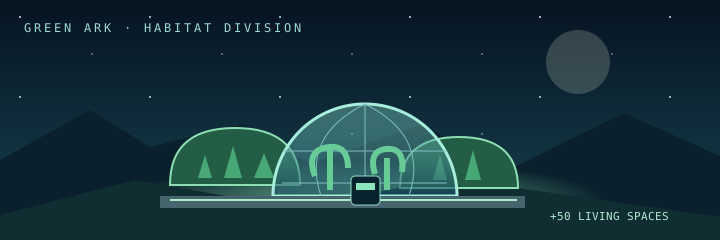
When the jumpgates fell silent, the Green Ark programme sheltered settlers beneath radiation-shielded gardens. Each completed Biodome provides 50 places, increasing the type-dependent starting capacity. Each Biodome generates +1 resident per tick, boosted by +20% per Population Development research level (maximum +100%); construction does not instantly add people.
Base cost is 300 Metal, 200 Crystal and 100 Eonium: 600 total, one fifth of a refinery’s 3,000-resource base cost. A full Biodome adds only 0.05% income across all three resources, while a refinery adds 1,100 base units to one resource. The lower habitat price reflects its slower indirect return. Normal construction price escalation and shared facility limits apply. Construction work: 250 CU.
Structure killers can damage Biodomes after the ship battle. Each dome has 1,000 HP. Damage is applied sequentially; 20 damage removes one of its 50 resident places. A destroyed fully occupied dome loses 50 residents; a half-damaged one loses 25. Previous damage is retained, so another attack only charges new damage. Casualties cannot exceed remaining population.
Construction spends resources and progresses through construction units. One active order can be accompanied by queued orders. The game shows the remaining work and estimated ticks; cancel controls describe the refund available for that order.
Construction output is based on staffing: a 20% construction allocation provides 100 construction units per tick. Building costs and capacity may change with development, so the order card is the authoritative price before purchase.
| Building | Purpose | Base resource cost | Work |
|---|---|---|---|
 Biodome Biodome | The Green Arks shelter 50 settlers beneath radiation-shielded glass. Adds 50 population capacity and grows 1 resident per tick per dome; each resident adds 0.001% mining income. | 300 metal · 200 crystal · 100 eonium | 250 CU |
 Light Factory Light Factory | Enables Fighter and Corvette production. | 2,500 metal · 2,500 crystal · 2,500 eonium | 500 CU |
 Medium Factory Medium Factory | Enables Frigate and Destroyer production. | 2,500 metal · 2,500 crystal · 2,500 eonium | 500 CU |
 Heavy Factory Heavy Factory | Enables Cruiser and Battleship production. | 2,500 metal · 2,500 crystal · 2,500 eonium | 500 CU |
 Metal Refinery Metal Refinery | Extracts 1,100 metal each tick. | 3,000 metal | 750 CU |
 Crystal Refinery Crystal Refinery | Extracts 1,100 crystal each tick. | 3,000 crystal | 750 CU |
 Eonium Refinery Eonium Refinery | Extracts 1,100 eonium each tick. | 3,000 eonium | 750 CU |
 Research Laboratory Research Laboratory | Improves research output when staffed. | 1,000 metal · 1,000 crystal · 1,000 eonium | 500 CU |
 Finance Centre Finance Centre | Adds 0.5% to income per facility. | 1,500 metal · 1,500 crystal · 1,500 eonium | 1000 CU |
 Wave Amplifier Wave Amplifier | Strengthens scans and reduces scan cost. | 1,300 metal · 1,300 crystal · 1,300 eonium | 800 CU |
 Wave Distorter Wave Distorter | Reduces the chance that hostile scans penetrate your planet. | 1,300 metal · 1,300 crystal · 1,300 eonium | 800 CU |
 Structure Defence Structure Defence | Absorbs structure damage in planetary combat. | 500 metal · 500 crystal · 500 eonium | 500 CU |
Construction has four slots total: one active project and up to three waiting projects. Projects may be queued while construction runs. Costs are reserved when queued; cancelling refunds the displayed eligible share once.
Research branches & progression
Research has four slots in total: one active project and up to three waiting projects. You can queue the next branch level while research is running. Each tick adds points to the active level, then the next waiting project starts. The branch card shows the next unlock, progress and approximate duration.
Research output starts from the race base: Terran 95, Cathaar 110, Xandathrii 105, Zikonian 95 and Eitraides 100 RP. Scientist assignment, government and laboratory-density percentages add together; laboratory density is capped at 20%. The round multiplier and the additional RP per full 100 residents then apply. The displayed rate reflects these Starfall modifiers.
Population Development · 5 levels
Each level adds 20% to Biodome population growth. Five levels give +100%; housing remains +50 per dome.
- Settlement Registry
- Family Support
- Medical Networks
- Habitat Integration
- Colonial Renewal
Spacetravel · 4 levels
Each level reduces travel time outside the home galaxy.
- Jumpgate
- Warpgate
- Stargate
- Hypergate
Infrastructure · 6 levels
Raises facility capacity from 20 to 400.
- Infrastructure Upgrade
- Improved Power Grid
- Advanced Power Systems
- Advanced Infrastructure
- Expert Infrastructure
- Infrastructure Revolution
Ships · 3 levels
Unlocks light ships, medium ships, then heavy ships.
- Fighter Class Hulls
- Frigate Class Hulls
- Siege Weapons
Scans · 7 levels
Unlocks scan types on the Waves page.
- Landing Scan
- Development Scan
- Unit Analysis
- Decryption Algorithms
- Warp Particle Detection
- Jumpgate Probing
- Advanced Unit Analysis
Core Mining · 4 levels
Increases core resource extraction.
- Advanced Core Extraction
- Expert Core Extraction
- Deep Core Drilling
- Magma Extraction
Covert Ops · 8 levels
Unlocks agent operations in a future practice module.
- Network Defection
- Security Defection
- Research Transferral
- Warp Core Manipulation
- Portable EMP Emitters
- Structural Integrity
- Bank-System Hacking
- Subversive Techniques
Heavy Cargo Transfers · 16 levels
Raises efficient asteroid mining capacity up to 10,000.
- Heavy Cargo Transfers I
- Heavy Cargo Transfers II
- Heavy Cargo Transfers III
- Heavy Cargo Transfers IV
- Heavy Cargo Transfers V
- Heavy Cargo Transfers VI
- Heavy Cargo Transfers VII
- Heavy Cargo Transfers VIII
- Heavy Cargo Transfers IX
- Heavy Cargo Transfers X
- Heavy Cargo Transfers XI
- Heavy Cargo Transfers XII
- Heavy Cargo Transfers XIII
- Heavy Cargo Transfers XIV
- Heavy Cargo Transfers XV
- Heavy Cargo Transfers XVI
Population Management · 5 levels
Raises the available workforce pool from 50% to 100%. Department limits still apply.
- Population Management I
- Population Management II
- Population Management III
- Population Management IV
- Population Management V
Draft orders: ships & asteroids
Ship Production and Mining share the same two-stage ordering workflow. Drafts persist in the browser and do not charge resources.
Choose an amount
Enter the number of ships or asteroids. For ships, choose Base or Fleet 1–3 as the delivery destination.
Add to order
Build a draft from several ship types or resource types. Remove entries or clear the draft before confirming.
Order all
The whole bill is checked against resources, research and capacity. Failure preserves the draft without partial payment.
Delivery
Ships arrive in their selected fleet on completion. Asteroids are initiated immediately using their current rising prices.
Independent orders
Order now remains available on every card. Ship orders still use one active and one queued order; asteroid orders retain mining capacity limits.
Achievement rewards & Bonuses bank
Each supported quest shows its lore, exact reward and progress before completion. A completion medal marks a reached goal; claiming upgrades it to gold. Every quest is claimable once per round. Planet Settings has an opt-in Quest automation control that claims completed rewards into the bank; allocation remains manual. Claim all completed is available for each category and at the end of the board; it only collects reached, unclaimed goals.
Complete the charter
Meet the displayed objective. Unsupported objectives are explicitly marked unavailable.
Claim the reward
The reward enters the unused bonus bank; it is not silently applied.
Open Bonuses
The Bonuses tab is alongside Quest board, using the same tab layout as Alliance.
Allocate
Accept resources/asteroids or allocate whole RP/CU amounts to branches and buildings. Partial progress and unused points persist.
Startup grant
A one-time startup grant supplies 2,000,000 of each resource. Its RP/CU totals depend on the race at import. No previous-round loyalty bonus is invented.
| Race | Research points | Construction units |
|---|---|---|
| Terran | 7,600 | 8,750 |
| Cathaar | 8,800 | 7,350 |
| Xandathrii | 8,400 | 7,000 |
| Zikonian | 7,600 | 8,050 |
| Eitraides | 8,000 | 7,700 |
Startup formula · Race adjustments
Temporal command quests
The first manual start, first stop and first restart each unlock one asteroid of every type. Their lore appears on the board; claim and accept through Bonuses. Scheduled starts award no quest progress.
Expanded quest arcs
Every office offers at least fifteen supported goals. Achievement statistics is the summary-only landing tab; the upper navigation orders Education, Development, Habitats, Treasury, Defence, Security, Fleet, Joint Chiefs, Veterans, Intelligence, Counter Intelligence, Clandestine Services, Covert Civil Operations, Alliance Cooperation and Temporal Command. Reward treasury contains unallocated grants.
New arcs grant measured resources, CU, RP, settlers and free structures. Settlers remain in the reward reserve until housing is available. Free structures require the corresponding research unlock and a free slot; otherwise their full CU cost is credited instead. This applies to bonus construction allocation as well: locked structures cannot be bypassed with CU.
Factory warrants require Fighter I, Frigate I or Siege I for light, medium or heavy facilities. Refinery warrants require Core Mining I, Finance Centres Core II, Wave Amplifiers Scans I, Wave Distorters Scans II and Structure Defence Siege I. Biodomes and laboratories are available without an additional warrant prerequisite. Every claim includes an itemised receipt; each goal can be claimed once.
Factories, ship production & fleets
Production lists the ships for your planet's race. An order requires the matching hull research, the correct factory and enough resources. Enter a quantity to see the total cost before ordering.
Light factories build Fighters and Corvettes. Medium factories serve Frigates and Destroyers; Heavy factories build Cruisers and Battleships. Assign owned factories to production to make use of their throughput. Queue and cancel controls manage ongoing orders.
Autofill buttons calculate the ships needed to reach a target fleet total, rather than ordering that many additional ships.
Fleet management
Your ships occupy Base, personal Fleet 1–3 and the permanent fourth Alliance Fleet. Transfer ships into a field fleet before launching a mission. Launching removes those ships from the ready fleet and creates an outbound mission. Recall controls send active missions home.
Out-of-galaxy travel starts at 12 ticks for Fighters and Corvettes, plus one for Frigates and Destroyers or two for Cruisers and Battleships. Space Travel removes up to four ticks. Same-alliance defence removes one more; in-galaxy defence takes five ticks. The practice Transwarp Hub can reduce out-of-galaxy travel by one.
Ship roster
Every race has a distinct roster and artwork. Production cards expose targeting, initiative, guns, damage, armour, role, cloak, ETA and cost. Use those current cards and the battle calculator when composing a fleet.
Fleet operations & vendor sales
Themes & calculator
Classic is an old-school in-game skin under Planet Settings. Nyan Cat is a portal/manual arcade theme under User Profile and joins theme cycling. Fleets → Add to Calc loads the selected ready and deployed fleet as attacker, preserves defender inputs and opens the battle calculator.
Network Hub
Network Hub replaces Galaxy Status. Incoming, outgoing and returning fleets are separate tables. Enable alliance intel adds permitted alliance threat reports and assessments. Unknown counts and origins remain unknown.
Personalised fleets
Fleets → Personalised fleet names accepts three distinct names of 3–15 letters or numbers. Internal fleet slots remain unchanged.
Scheduled launches
Set a delay of 0–12 ticks before launching. Ships are reserved immediately and depart when the practice ticker reaches that tick. Cancelling before departure returns them immediately. This browser practice ticker must be running or catch up for the schedule to execute.
Fake Defence
Fake Defence recalls automatically when travel reaches ETA 1, before arrival. It returns over the travelled distance.
Ship Analysis
The table totals normal damage, EMP shots and stealing damage against primary target classes across ready and deployed ships. Enemy resistance, initiative and target priority affect actual combat; use the battle calculator for a battle estimate.
Vendor sales
Production → Sell ships removes ships from the Base fleet for 12 ticks. The practice vendor pays a displayed fixed 50% of catalog resource cost; this rate is a Starfall rule. Cancelling returns the ships after a new 12-tick trip. Ships with the vendor remain included in planet value.
Reference: Planetarion Fleets and Production.
Combat, targeting & defence
Population and habitats in battle
Pop dmg% is an editable ship stat for Cruisers and Battleships. Its default is 0.1% of the defender’s starting population per surviving ship after the ship battle. Percentages add together, capped at 100%; final casualties are rounded down. Their original ship targets remain active; other classes have a blank population damage field. The battle calculator accepts defender residents, Biodome count and existing dome damage. Reports show population casualties, survivors, remaining mining bonus, destroyed domes and partial damage. Civilian losses also reduce the +1 CU/RP per full 100-person production bonus.
Attack, defence and related fleet operations use the practice combat resolver. Ship class targeting, initiative, damage and armour determine how engagements unfold. Cloaked units and specialised roles may affect what reports show.
Planet protection blocks ordinary attacks until the protection period ends. Hostile alliance structure planets require a declared war with their owner before they can be attacked.
Base fleet behaviour can be set to Stay Home and Fight or Run and Hide. Alliance defence calls identify a planet, hostile ETA and notes; select a ready fleet to respond.
Battle calculator
Under Alliance, paste ship reports into the attacker or defender side, parse their counts and calculate. The result shows starting fleets, losses and survivors. You can also copy counts and results. A calculator result is a practice estimate rather than a guarantee of a live game's outcome.
Covert operations
Quiet Picket · Worker Bribery
Covert couriers entice organisers with hardship credits and promises of better contracts. At covert level 3, send at least 10 agents. Success starts a non-stacking 6-tick workers’ strike, reducing mining income by 10% without killing residents. Existing strikes cannot be renewed until they end.
Glassfall · Biodome Sabotage
At covert level 6, send at least 15 agents to a planet with a known Biodome. Each 15 agents destroys one Biodome, bounded by actual buildings. Destruction costs up to 50 occupants per dome, subtracting casualties already caused by partial damage. Research, agents, stealth, protection and mission costs follow the covert rules.
Civil covert quest lines
Separate lines for successful worker bribery and Biodome sabotage award once at 1, 5 and 15 operations. Each milestone grants 100/200/400 CU and 200/400/800 RU. Failed and ineligible operations do not advance these lines. Rewards are held in the existing bonus bank.
Military command
Open Military → Covert ops to train or dismiss agents and guards, select a practice target, choose an unlocked operation and send agents. Results are instantaneous and appear in the blue Covert ops news category.
Research and launch checks
The existing covert research branch unlocks nine operations. Protection, paused ticks, closed targets, insufficient agents, insufficient resources and exhausted stealth prevent launch. Mission cost is 500 of each resource per agent, also on failure.
Scope and rates
Target changes affect this browser’s practice snapshot; this is not a server-authoritative multiplayer attack system. Training and wages are explicitly shown as Starfall practice rates. Mission rules are based on the Planetarion covert manual.
Bonuses
Quests → Bonuses shows current unused resources, asteroids, RP and CU. The startup grant is imported once: 2,000,000 per resource plus 7,000 CU and 8,000 RP adjusted for race. Historical loyalty defaults to zero because previous-round history is unavailable. Startup rules.
Alliance attack tool & fleet worksheet
Operations and shared wave bookings
Alliance → Attack tool now follows the pa-tools planner model. Owner, HC and Officer manage operations by default; every rank except Recruit can claim waves by default. Create up to 50 registered targets and 1–10 consecutive landing waves, with optional scheduled opening and prerelease. Targets sort numerically by coordinates. Each target/wave has one owner and may be shared with current alliance members. Shared participants can edit notes, calculator references and NONE/LAND/RECALL planning status. The owner must transfer a shared booking before dropping it. Status changes do not launch or recall real fleets; use Fleets or Alliance Launch Bay for orders. The My bookings filter includes owned and shared bookings.
Managers can add or remove unclaimed waves and targets. Claimed waves cannot be removed or retimed until released. Revision checks protect simultaneous claims. Scheduled target details are hidden from ordinary members until prerelease; all records remain scoped to the alliance and round generation. Previous open targets and claims are imported once. The old claim endpoint becomes read-only after the upgrade. Alliance → Battlegroups provides membership requests, approvals and command transfer.
Adapted for Starfall from liamrigg/pa-tools, reference commit 564f02157c7c028beb57c16b4c8a2c02869b35ba. The planner runs in the Starfall Worker, with no external bot notifications.
Battle calculator offers a compact worksheet: each ship occupies one row with Attacker and Defender count cells. Ship class colours match the legend. Use Tab or arrow keys to navigate. Paste tab-separated numeric columns from a spreadsheet starting at a selected cell: the first column maps to Attacker and the second to Defender. Values must be whole numbers from 0 to 1,000,000,000. Fighters are cyan, Corvettes green, Frigates yellow, Destroyers orange, Cruisers purple and Battleships pink. Reports are simulated and remain on the calculator page.
Waves & scan types
A Wave Amplifier is required to scan. The first amplifier enables scanning; each additional amplifier reduces costs by 0.3%, capped at a 75% discount. Each listed base cost is paid in each of Metal, Crystal and Eonium.
Use the X:Y:Z fields, or enter compact Galaxy:slot coordinates. 2:7 selects galaxy 2, planet slot 7 in your home sector; 07:04:02 is the full form. Paste one coordinate into the paste box, apply it, then choose a scan type to launch.
| Scan | Scan research level | Base cost each | Information |
|---|---|---|---|
| Planet Scan | 0 | 1,000 | Planet value, resources, asteroids, guards and production mix. |
| Landing Scan | 1 | 2,000 | ETA 1 fleets attacking or defending the target. |
| Development Scan | 2 | 3,000 | Construction and planet development status. |
| Unit Scan | 3 | 4,000 | Ship composition with up to 20% distortion. |
| News Scan | 4 | 5,000 | Intercepted news, delayed by three ticks. |
| Incoming Scan | 5 | 6,000 | Fleet composition travelling toward your planet. |
| Jumpgate Probe | 6 | 7,000 | Friendly and hostile fleets travelling to the target. |
| Advanced Unit Scan | 7 | 8,000 | Exact ship composition, including cloaked units. |
Landing Scans require a fleet at ETA 1. Incoming Scans require an inbound enemy fleet. The scan cards show the research needed, current cost and whether the action is available.
The appointed scanner, an Alliance Scanner or the Alliance HC can use the available funding controls. Galaxy sweeps require the appropriate scanner or Minister of War permission. Each target/type pair must meet the same requirements as a single scan; ineligible pairs are skipped before the total bill is calculated. Incoming scans report hostile movements toward your own planet and occur at most once in a sweep. Jumpgate probes report travelling fleets, not docked ships. Missing fleet composition or guard intelligence is shown as unknown. These permissions remain separate from the option to share reports with everyone.
Satelite Uplink & shared intelligence
Archive → the Miday array is the central scan archive. Every report has an icon identifying its scan type, target, tick and saved time. Reports remain available for two weeks.
Store privately or share with all players
- Open Planet Settings.
- Under Quick Actions, find Enable sharing of scans to all people.
- Enable it to make your centrally stored scans visible to other game visitors.
- Disable it to hide your scans from the shared archive. The central copies remain private.
Sharing starts disabled. Your sign-in identifies the owner of your reports; another player cannot overwrite or delete them. Deleting a saved scan also removes its central copy.
Search and type filters
Search by planet name, coordinates, scan name or words from the report. Each scantype checkbox can be switched on or off, just like news categories. All scan types enables or disables the complete set. Use Refresh Scans for the latest records and Load More Scans when more results are available.
Scans for one planet
The archive button next to P, D, A and U in Galaxy Browser opens all shared scans for that planet, with all types selected. Clear Planet Filter returns to the wider archive.
Anonymous reports
An anonymous report hides its coordinate field and coordinate strings in the shared report text. Anonymous scans are excluded from coordinate-based planet lookups. Their type and target name remain visible.
Everyone means everyone who can access this Site and sign into the game. The site's existing access policy is not changed by scan sharing.
Galaxies, slots & self exile
Galaxy Browser accepts X:Y coordinates and shows tracked practice planets or deterministic simulated galaxies. Every galaxy displays exactly 15 slots: 1–10 are planet slots and 11–15 are reserved for alliance stronghold structures.
Empty structure slots display Empty / Reserved, even where no stronghold exists. Structure rows have their own labels, and an occupied planet slot is never used for a stronghold structure.
Exile Option
Planet Settings replaces Layout Module with Exile Option. Yes is unchecked by default. Checking it shows confirmation and the exact resource charge before your planet moves to a free slot in a different galaxy. All fleets must be home and you must be able to pay.
The charge is shown separately for each resource. It rises with your previous self-exile count and your galaxy's counted score relative to the average. Free planets pay twice the paid-planet cost. This game uses tracked local galaxy scores to apply the Planetarion self-exile formula.
Payment goes into the galaxy fund of the galaxy you leave. Your fleet, buildings, research and alliance membership remain. The practice relocation is immediate, rather than waiting for one of the next four ticks as in Planetarion.
Counted score records progress gained in the current galaxy. Score brought in through exile does not count as newly earned galaxy score.
Universe rankings & growth
Largest planets by asteroid size and most populated planets are separate rankings. Growers and losers show observed changes in asteroids, value and population over up to 24 ticks. Negative changes retain their sign. History begins when this browser observes the round; unavailable past data is not invented.
Politics & galaxy governance
Population levy and Spaceport
The Minister of Development sets ordinary population tax to 0–5 residents per planet per 24 ticks. Collection accrues fractionally and removes whole residents, with a hard maximum of five actual residents per planet in any rolling 24-tick window. At zero, ordinary collection pauses. When verified housing is full, otherwise-lost potential growth is converted in full, even when ordinary tax is zero; this does not remove existing residents. Fractional growth equivalents carry forward. Each removed resident or converted whole growth equivalent yields 6 Metal, 4 Crystal and 2 Eonium for the Galaxy Fund. The Civil Population register shows ordinary removals, full-housing conversion, projected next-tick income and actual reports separately. Only a planet’s own advanced tick reports are settled; missing historical ticks are identified rather than estimated. Legacy percentage liabilities are discarded when adopting this policy. Shared reserves appear under Spaceport, and only the Economics Minister can issue eligible aid payouts.
Galaxy politics handles commander votes, minister appointments, a message and banner, trust policies, fund permissions and exile votes. Minister roles cover Communication, Development, War, Economics and scanning.
Galaxy exile votes are different from voluntary self exile. They require funding and minister approvals, and the practice system limits them to two in a 200-tick window. Review the target, reason and displayed cost before opening a vote.
Voluntary self exile moves you into another galaxy and resets the local political context and galaxy-fund view to your new location. Alliance membership is preserved.
Spacing Bank Collective · Spaceport
The universal exchange is a finite fund. Each round begins with 1,000,000 Metal, Crystal and Eonium by default. Exchange rates, tax and limits are set by administrators. The bank module displays the current policy.
Gross output is the offered amount multiplied by its resource value and divided by the desired resource value, rounded down. The fee is gross output times tax, rounded down. Net output is gross minus fee. The bank receives the full offered amount and pays only net output, retaining the fee through reduced payment. A trade fails if the player lacks stock or the payment would cross a minimum reserve. Receipts and resource changes settle atomically; repeat submission of the same transaction does not pay twice.
Alliances, funds & strongholds
Diplomacy and Mail
Foreign Affairs → Mail provides a private inbox, sent folder, player recipient list, reply and 20-message pagination. Only the sender and recipient can read a message; admin status grants no mailbox bypass.
War and peace declarations notify both alliances through their News Log. The target’s current players also receive Mail. Reports name the declaring and target alliances, include a clearly fictional diplomatic transcript, and show applicable bonuses.
Following the Planetarion alliance manual, attacks on a declared target gain 5 capture percentage points and 25% asteroid-capture XP if you are the only declarer or the target has a higher aggregate score. Otherwise the bonuses are 3 points and 15%. During an active war, other targets receive a 5-point capture penalty and 25% capture-XP penalty. War bonus lasts 48 ticks. Wars unlock after the universe shuffle and require at least five planets in each participating alliance. Only one primary war may be active. The declaration may include the target’s allies, who receive the secondary 3-point / 15% bonuses. Allied status requires a proposal accepted by the other alliance; either party may end that treaty when not at war. Bonuses affect actual asteroid capture and capture XP. Capturing from an undefended planet earns XP; ship losses alone do not. A war mandate cannot be cancelled before its 48-tick expiry. Expiry withdraws the sender’s declaration and does not silently cancel a separate declaration by the other side.
Private alliance intelligence
Nicknames, assessed alliance affiliations, notes and relations are separate records for each alliance. They are not inferred from another alliance or filled from public player usernames. Membership and rank determine access; scans explicitly shared to all remain available according to their sharing setting.
Admin key audit
Owner keys may be revealed with a holder passphrase or by an admin force reveal. Every successful reveal records admin, alliance, keyholder, action and timestamp. The audit never includes the key or passphrase. Displayed keys hide after 60 seconds.
Alliance pages cover members, recruitment, defence calls, the battle calculator, alliance funds, fortress placement, structures, relations and logs. Owner and HC manage fortress placement, roles and structures according to rank permissions.
Accepted applicants begin as Recruits. Members can hold Member, Scanner or Officer roles; Owner is the highest rank; Owner changes are restricted to Owners and authorised staff. The alliance supports up to 40 members.
Create or recover an alliance
Open Alliance and enter a unique name, tag, description, recruitment message and MOTD. The creator becomes Owner and receives a personal encrypted passkey. No practice planets are automatically created in the player-only round.
When you have no alliance, the Restore an alliance box remains visible even while ticks are running. Enter your personal Owner passkey to recover a reserved alliance name and its saved attributes. Joining or restoring an alliance hides the box. Recovery does not restore funds, structures, scans or intel.
User control panel → Alliance manager supports five inactive reservations and up to two additional keyholders. Only an Owner or authorised staff can grant or remove Owner rank.
Alliance Intel
Alliance Intel has a separate browser of existing galaxies, occupied slots, planet and note search, and a dossier for every populated slot. Assess planets as Friendly, Watch or Hostile and save a note. Reports combine your own saved scans with centrally shared reports for those coordinates. Notes and assessments are saved with this device’s practice alliance. Ranks controls who may view intel and edit assessments.
Ranks and permissions
The Ranks tab controls every alliance option for HC, Officer, Scanner, Member and Recruit. By default Members may exchange fund reserves, while only HC can configure minimum reserves and permissions. Each fund exchange must leave all three resulting reserves at or above their configured minimum. The player or game admin with permission access can save a custom role matrix or restore defaults.
Funds and taxes
Donate to Alliance Fund deducts a positive whole amount from your planet and schedules it to arrive after 8 ticks. Combined donations of each resource are capped at two ticks of income per 24 hours. Exchange Resources converts personal reserves, or alliance reserves according to rank permissions, with a 2.5% fee rounded up to a whole resource unit. For example, giving 1,000 Metal receives 975 Crystal. The result stays in the selected account.
Alliance tax is configurable from 0% to 5%; a planet can enable or disable its contribution in Planet Settings. Donations are limited and scheduled rather than credited immediately. Galaxy Fund is separate and has its own permissions and donation controls.
Fortress benefits
Only alliance members residing in the stronghold galaxy receive the fortress's 0.25% passive resource bonus and its free Wave Distorter every 24 hours. Moving the fortress after the first tick starts a 24-hour anarchy period, with an alliance-wide 2% income penalty.
A stronghold must be placed in a galaxy that contains alliance members. Its structures occupy standard slots 11–15; an active 1:1 stronghold uses slots 16–20.
Transwarp Hub
Reduces alliance travel time by 1 tick for 12 hours, then self-destructs.
Cost: 30% of calculated daily alliance tax income. Cooldown: 12 ticks.
Dyson Sphere
Raises alliance income by 2% for 8 ticks, then self-destructs.
Cost: 10% of calculated daily alliance tax income. Cooldown: 12 ticks.
Ancient Weapons
Raises alliance ship combat stats by 2% for 4 ticks, then self-destructs.
Cost: 40% of calculated daily alliance tax income. Cooldown: 12 ticks.
Voyager IV
Grants 5 Wave Amplifiers to every alliance member. Repeatable.
Cost: 20% of calculated daily alliance tax income. Repeatable.
Solar Flares
Grants 5 Wave Distorters to every alliance member. Repeatable.
Cost: 20% of calculated daily alliance tax income. Repeatable.
Active structures expire according to their displayed tick or hour duration. The five-amplifier and five-distorter megastructure rewards retain their alliance-wide scope; those differ from the fortress's location-specific daily reward.
Alliance ownership & recovery
Create, reserve or recover
Creating an alliance makes you Owner. Under User control panel → Alliance manager you can reserve up to five inactive alliances, edit your active alliance and add up to two additional keyholders. Reservations do not activate a round alliance until you choose activation.
Recovery visibility
Without an alliance, Restore an alliance stays available even while the ticker runs. Enter your personal Owner passkey to restore the reserved name and attributes. Once you are an alliance member, the recovery box is hidden. Funds, structures, scans and intel are not restored.
Owner keys and passphrases
Each Owner receives a personal encrypted key. Alliance Settings shows only your own key. An optional disclosure passphrase of 12–128 characters allows staff to reveal that specific key on the Keyholders page. Rotating the key invalidates the old key and disclosure phrase. Owner private feeds require the rights of that Owner in the active alliance.
Rank rules
Only an Owner or authorised staff can grant or remove Owner rank. Operational permissions are configurable in Ranks. Attack claim permissions and the one-active-claim limit apply to administrators too.
Alliance Launch Bay & fleet readiness
Permanent fourth fleet
The fleet system now has Base, three personal fleets and a fourth deployable Alliance Fleet. Transfer ships into that slot or deliver a production order there. Normal mission controls cannot launch it. Only ranks granted Control permanent Alliance Fleet can withdraw personal ships, launch or recall the fleet. Alliance Ships produced by Shipyards remain locked to this fourth slot and cannot transfer to Base or personal fleets.
Alliance Shipyards
Owner, HC and Officer open Alliance → Shipyards to allocate hulls from current member races through a race-column quantity matrix. Unlocked hulls use the combined matching factories of current members. Costs come from Alliance Fund, above its minimum reserves; personal world discounts do not apply. Completed hulls enter the selected member’s existing Alliance Fleet, with no second fleet. Alliance sales pay the same 50% catalog rate as Ship Seller after 12 ticks and return proceeds to Alliance Fund. Cancelled sales return after a new 12-tick journey. Offline recipients receive deliveries when their game reconciles; reset or departed recipients put finished orders in escrow. Factory progress uses observed member ticks; unverified historic factory changes are not extrapolated.
Launch Bay
Open Alliance → Launch Bay to see your permanent fleet and prepare Attack, Defence or Fake Defence with a delay of 0–12 ticks. Existing protection, targeting and fleet availability checks still apply.
Member readiness
Alliance → Defence and Launch Bay show each member in an individual card. Reported idle fleets list ship names, classes and counts. Fleets travelling or scheduled are excluded. Reports refresh every 30 seconds while a member’s game is open; after five minutes they are marked stale. Missing reports remain unknown.
Officer launch orders
A controller can select a member’s reported fourth fleet and queue a mission. The central database checks membership and rank permissions. The member’s open game receives, validates and executes the order on its next sync; offline games wait until reopened. Revoked permissions invalidate unprocessed orders. A round reset clears reports and queued orders.
Rank permissions
Owner, HC and Officer receive View member idle fleets and Control permanent Alliance Fleet by default. The two permissions are separate checkboxes in Alliance → Ranks. Members, Scanners and Recruits do not receive them by default; rank permissions can explicitly delegate or revoke them.
Forums & support tickets
Forums
Alliance → Alliance Forums opens the members-only discussion area. Creating a topic or posting a reply advances the Post in your alliance forum achievement; only your own posts in the current alliance count. Galaxy Forum is limited to planets in your own galaxy and advances the Post in the galaxy forum achievement. The in-game Forums menu also includes General forum for all signed-in players, alongside My galaxy forum and My alliance forum when available. General topics support posts and replies. Alliance topics are visible only to members of that alliance. Private alliance and galaxy discussions are cleared by a round reset; community topics remain.
Support tickets
User Profile → Support tickets offers Staff support and Ban appeal. Only the requester and staff can read a ticket. Staff can reply and mark requests Open, In progress or Resolved.
Ambient soundtrack
The portal offers an original cinematic desert-space score with mute and volume controls under User Profile → Portal theme settings. Browsers may require a click before playback. Music pauses while a portal video plays. In-game music starts disabled; enable it under Planet Settings → Ambient soundtrack.
Theme preferences
Alternate portal themes on every reload cycles all seven portal themes, including Neutral. A fixed selection disables cycling. User Profile → Portal theme settings controls the portal and manual theme. Remember setting saves the choice in this browser; theme changes reload the page. Game theme controls remain under Planet Settings.
Staff account audit
Multihunters → Raw access log shows signed-in request metadata and account IP history. Multi groups accounts sharing an observed IP. Only staff can view this data; records expire after 30 days. Shared networks alone do not establish account ownership. Keyholders can authorise staff disclosure of their alliance key with a personal passphrase; rotating the key clears the previous phrase.
Alliance creation & keyholders
Create alliance accepts name, tag, description, recruitment message and MOTD. The creator becomes Owner and receives an encrypted personal passkey. An optional 12–128 character passphrase enables staff disclosure for that specific Owner key; leave empty to disable disclosure. Alliance Controlcenter → Keyholders lists all alliances, including archived key registrations, independently of the alliance selector. The same account can hold separate keys for different alliances. Revealing a key requires its matching alliance and holder. The normal action uses an authorised passphrase; game admins also have a Force reveal action. Every successful reveal is logged with admin, holder, alliance, action and timestamp, without the key or passphrase. Rotation invalidates the old phrase.
User and Staff control panels
The User control panel has a single submenu for Account profile, Portal theme settings, Alliance manager, Support tickets and Create account. Alliance manager permits five pending reservations, with encrypted personal keys and up to two additional holders. Reservations do not change the current round alliance until explicitly activated. Active alliance holders must already be members and become Owners.
Staff account ranks are Player, Support, Multihunter and Administrator. Support handles tickets; Multihunter handles access and fleet review; Administrators manage accounts and game settings. Staff planet audit is readable by all staff roles and lists recorded field changes. It begins recording with this release and cannot reconstruct past field edits. Game and staff workspaces use separate browser saves.
The player-only round contains account-owned planets; automatically generated practice planets are disabled. Resets preserve this mode and keep the ticker stopped until manually started or scheduled anew. The practice schedule processes while an appropriate page is open.
Staff workspaces
Administration now lives under Portal → Staff panel. Admin Controlcenter, Alliance Controlcenter, Multihunters and Support tickets have dedicated subpages. Staff can continue playing their own assigned planet. The staff workspace saves separately in this browser and does not automatically advance gameplay ticks. Staff overview has a toggle and link to restore the original ingame Administration view.
Staff structures & battle lab
Alliance Controlcenter → Structures displays five reserved slots and construction progress. Staff generation queues a three-tick build without charging the alliance fund, or immediately activates a timed structure. Satelite Uplink → Simulated battle lab generates local test combat reports, can load the starting fleets into Battle calculator. Test reports are labelled simulated, stay in their test module and do not change real assets or farming evidence. Calculator news reports stay on the calculator page.
Multihunter fleet analysis
Staff can open Administration → Multihunters → Fleet farming analysis and select two planets and a tick range. The report lists both directions, attacks, completed battle reports, asteroid captures, losses and repeated launch intervals. At least four attacks and three profitable low-loss battles recommend staff review. Fewer than three completed attack reports produce Insufficient evidence. Events are authenticated account reports from the practice browser, not authoritative server combat evidence. Collection begins with this release; no historical movements are invented. Round generations are kept separate. The analysis never bans a player or proves collusion.
Multimedia & Discord
The portal contains an interface montage and AI battle concept clips with an original cinematic soundtrack: three 24-second battles and an 80-second montage. Discord chat currently contains YouSMP configuration placeholders until an authorised embed is available.
Journal, Achievements & troubleshooting
Journal
Journal records round events. Use its search and category filters to find battle reports, development and game updates. Calculator simulation reports stay on the calculator page; Uplink tests stay in their test module.
Achievements
Claiming an individual objective, a batch or automatic rewards creates an itemised Journal receipt. It lists claimed objectives, gold claim medals and exact totals for Metal, Crystal, Eonium, RP, CU and each asteroid type. Totals describe this claim only, separate from any existing balance or startup bonus.
Completed achievements offer claimable rewards. Planet Settings can enable automatic claiming. Claimed resources, asteroids, research points and construction units enter the Bonuses bank; allocate them from there. Forum achievements count your own qualifying posts.
Help and error reports
Open User control panel → Support tickets for staff support or a ban appeal. Only you and authorised staff see the ticket. The bottom-corner error control can expose recorded errors to include in a ticket. Describe the action, expected result and actual result.
Related chapters
Bonus allocation · Forums and support · Ticker troubleshooting
Biodome quest line
Completed Biodomes at 1/5/15/25/50 reward 50/150/300/500/1,000 CU and 50/100/200/350/700 research units (RU, recorded as RP). Total: 2,000 CU and 1,400 RU. Each milestone pays once, without resources or asteroid grants. A single quest uses the same festive receipt as a multi-quest claim, with exactly one achievement, medal and reward receipt.
Civil covert quest lines
Separate successful-worker-bribery and Biodome-sabotage lines reward at 1/5/15 operations: 100/200/400 CU and 200/400/800 RU. Failed operations do not advance these objectives.
The Vesper Chronicles
When the Starfall collapsed the old jumpgate network, five civilisations found themselves stranded around the Vesper Reach. Terran shipyards rebuilt the trade routes. Cathaar listening posts followed signals through the dust. Xandathrii navigators mapped the silent corridors, while Zikonian foundries and Eitraides archives preserved the tools needed to survive.
The eleven command offices issued a shared charter: restore the mines, protect the colonies, and uncover the last transmission of the Miday beacon. No fleet has yet reached its source. Every commander who rebuilds a world brings the Reach one jump closer.